
Same values
New beginning
United with Community First Credit Union, members can now enjoy enhanced services and access exciting new products to help them reach their financial goals.
System Integration is Now Complete - Here's What You Need to Do
Internet Banking
- Have your login credentials ready for the first time your log in. When you do login, the navigation is the same however you’ll notice more Community First branding on the pages.
- If you received a notification about your member ID changing, please follow the instructions we sent to you.
- If you have bookmarked or saved any links to internet banking, we recommend you remove these. You should only ever access internet banking direct from our website.
- SMS messages for one-time passwords and alerts will reference the Community First brand.
Mobile Banking App
- Delete the Moneytree app – this app is no longer available.
- Download the Community First Mobile Banking App from your app store. When you first log in, use the same log in credentials as internet banking.
- The Community First app has the same features and navigation as the Moneytree however please contact us if you need any help, please contact us.
- SMS messages for one-time passwords and alerts will reference the Community First brand.
Direct Debits / Transfers
- Please use the Community First BSB number – 512-170 – for any NEW direct debits and incoming transfers / payments to your accounts.
- We also recommend that your updating existing direct debits / scheduled payments to your account with the new BSB number as in the next few months the ICU BSB number will be decommissioned.
- If you received a notification about your member ID or account number/s changing, please follow the instructions included the notification.
Key Things You Need to Know

Access to Your Banking
When you first log in to internet banking, you’ll notice some branding changes. Use your current member ID and password. Please delete the Moneytree app and download the Community First Mobile Banking app, then log in with your internet banking details. If you’ve been notified of changes to your member ID or account number(s), follow the instructions provided.

Some Product Names Will Change
From 12 September 2025, some Illawarra Credit Union products are no longer be offered or may have a slight name change. At the same time, a number of new products are now available to you, opening up new possibilities for your banking needs.

You'll Have More Servicing Options
You can now access more servicing options including longer contact centre operating hours and increased number of branches (now called Stores) and ATMs. In addition, our Wollongong branch and contact centre will remain with the same friendly staff available to you.

There Are Some Changes to Fees
A number of Illawarra Credit Union fees and charges have changed across loans and deposits. These fee changes and respective effective dates, are included in the e-booklet we have sent to you or you can view these here.
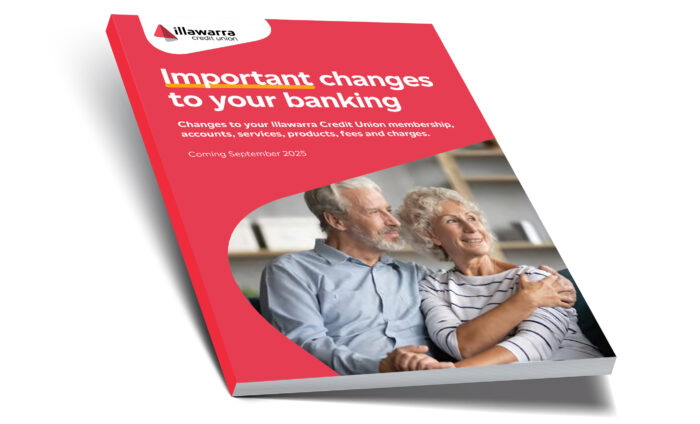
Helping you navigate change
Rest assured, we’re working hard to ensure the integration is as seamless as possible. We’ve developed an e-booklet that provides all the details of upcoming changes that you need to know about along with key actions and dates you’ll need to make note of.
Click to view, download and print here
If you’d like a printed copy, please visit our Wollongong branch and our team can make one available for you.
Leading up to 12 September 2025, we will continue to send reminders to you of these changes, and we encourage you to monitor the dedicated page on our website and social pages to stay up to date with the latest information.
If you’d like to speak to our team about these changes please call 1300 132 249 or email merger@cu.com.au
We're here to help .
Call us
Our contact centre is open Monday-Friday 9am-5pm (AEDT).
Extended hours apply from 12 September 2025.
Email Us
Email our team at
merger@cu.com.au
Visit Us
Visit our Young St branch and our friendly team can help
Frequently Asked Questions
Yes, you’ll need to delete your Moneytree app and replace it with the Community First Banking app. You’ll need to know your internet banking login details to re-set up the app for the first time.
If we advise you that your member number is changing, please use your new member number to login.
Yes. A system outage will occur from 5pm Australian Eastern Standard time on 12 September 2025. Your card will still work during this time but there will be transaction limits in place meaning large transactions may not go through during this time. You’ll also not be able to access the Moneytree app and internet banking. We will let you know via our website and social pages once the system is back online. We expect this to be on or before 14 September 2025. Any scheduled payments will still go through during this time. Leading up to 12 September, we will send you a series of reminders to help you prepare for the outage.
For the vast majority of members, there will be no change to member, account and card numbers.
If you have received a notification by post that your member number or account number/s are changing, please refer to the notification for specific instructions. If you no longer have this notification, please contact us so we can assist you.
No. All existing payments will continue as usual and will be automatically redirected.
For any new direct debits you set up post system integration please use the Community First BSB number: 512-170.
For the small number of customers that have an account number changing, we will write to them closer to system integration with specific instructions.
Yes, all current debit and credit cards will remain active. During 12-14 September 2025 when there is a system outage, there will be transaction limits in place so you should avoid larger transactions.
No. Existing passwords and access codes will continue to work, even if a member’s number is updated.
After 12 September 2025, you can use the Community First BSB 512-170. The existing ICU BSB will still work, even after we merge our systems, however we will decommission the ICU BSB at a later date. We recommend to start using the new one from 12 September.
Please refer to the Changes to Your Banking e-booklet to learn more about the product changes and how these will impact you.
Existing Pay IDs will continue to function as normal. There is no need to update these details after 12 September.
Yes there are a number of fee changes as we align both Illawarra Credit Union and Community First products and pricing. Please refer to the Changes to Your Banking e-booklet for specific information.
Yes. The good news is that Illawarra Credit Union members will have access to 12 additional locations to conduct their banking in person in addition to our Young St branch. Please refer to the Changes to Your Banking e-booklet for full details.
Contact centre hours will also increase to 8am-8pm Monday to Friday and 8am – 3pm on Saturdays.
The current contact centre number – 1300 132 249 – is not changing along with our general email address online@cu.com.au.
For specific enquiries related to the system integration, please email merger@cu.com.au
For business members with business accounts, your account details will be updated automatically. Members should use the new BSB (512-170) when reordering invoice slips.
The Australian Government guarantees aggregated deposits with Australian authorised deposit-taking institutions, including Illawarra Credit Union (a division of Community First
Credit Union Limited), of up to $250,000 (AUD). The Financial Claims Scheme (FCS) is an Australian Government scheme that was established to provide financial protection for consumers in the unlikely event of a failure of a bank, credit union, building society or general insurer.
The FCS limit of $250,000 applies to the sum of an account holder’s deposits under the one banking licence. This includes accounts with any other banking business that the licenced banking institution may operate under a different trading name. Community First Credit Union Limited operates the brands Illawarra Credit Union, Community First Bank and Easy Street Financial Services. For the purpose of FCS, all deposits held under the different brands are added together to determine the FCS entitlement for an account holder.
It will remain on its existing terms and conditions; however, there may be some changes to applicable fees and charges – see Changes to Your Banking e-booklet for more information. While there are no planned loan interest rate changes as a result of the integration of our two systems, please note that all interest rates are subject to change in line with business needs, cost of funds and market conditions.
Your current fixed rate and remaining fixed rate period will remain unchanged. When your fixed rate expires, your loan will revert to the stated variable ICU product noted in your loan contract. If you’d like to fix all or part of your home loan after 12 September 2025, you’ll need to select from one of the fixed loan products advertised at that time.
Subject to credit assessment criteria, your existing ICU loan facility can be topped up. When increasing your loan and switching or splitting the product, you must select from one of the currently advertised products on the ICU website.
There will be no change to the product specified in your contract and there are no anticipated delays to settlement.
Historically, ICU provided Bank@Post transactions free of charge to ICU members as the number of ICU branches was reduced. This complemented the single branch presence in Wollongong. Following progressive cost increases from Bank@Post, a small transaction fee will be applicable for deposits and withdrawals via Bank@Post. This represents a reduction in the current Community First Bank@Post fees and aims to subsidise the cost of this service. It’s important to note that ICU (and Community First) do not earn a profit from this fee, which covers less than half the cost charged to us by Australia Post.
ICU members will also have an additional 12 Community First stores around greater Sydney (including the Central Coast and Lake Macquarie) which they’ll be able to access, with eight of them offering cash services and one having a deposit-taking ATM. Additionally, ICU members are able to access Community First branded ATMs in Community First stores free of
direct charges. There are also free ATMs all around Australia, which you can find on the Australian Banking Association website: https://www.ausbanking.org.au/fee-free-atm-sites
Your card number will not be changing as part of the system integration so you can continue to use the current cards. There’ll also be no need to update any digital wallets or other places where your card number is stored.
If you need a replacement card you can continue to do this via the app or by contacting us.
On 12 September we will combining the ICU and CFB core banking systems as a result of the merger on 1 February. We have identified that there is duplicate member / account number in the CFB banking system which means we need to generate a new number for you. We understand this may cause some inconvenience as you’ll be required to update your mobile app and log in details. You’ll also need to update any direct debits, scheduled and recurring payments you have.
We apologise for this inconvenience. Please contact us if you’d like to discuss this further or if you have any additional questions or concerns.
Yes, once the system integration is complete you will need to remove the Moneytree app and replace it with the Community First Banking app. As ICU and Community First use similar systems, the overall navigation is the same however you’ll notice some branding changes.
Your login credentials will still work however you will need to re-enter these when you first open the app. Be sure to update your password before the 12 September if you no longer recall it.
There will be a small change to the way the transaction details are displayed. In the Moneytree app, you’ll have been used to seeing the BSB and account number listed next to each of your accounts. Initially, when you download the Community First mobile app, your nine-digit account number will still be there however you’ll also notice your member number followed by an S, L or I and one or two digits. This is simply a product code for the product you have. You don’t need this code, and you should continue to use your nine-digit account number to transfer funds to your account. The BSB and account number will be displayed in the Community First app next to each account in the near future.